
TRENDING
Free QR tool
QR codes that never expire, checked before you print
Make a QR code for a link, WiFi, contact card, WhatsApp, email, location or event. Add your logo, colors and a frame. Before you download, the tool reads your code back to make sure it scans.
Free forever, no expiry11 code typesLogo and colorsScan check before downloadPNG and SVGBatch from CSVShop labels and barcodesQR Safety Check
Digieh QR Code Maker
1What should the code open?
Dynamic QR code (Pro)
Print once, change the link any time. The code holds a short Digieh link that sends people to your page, and you can see how many people scanned it. A dynamic code costs 10 credits, once. Changing the link is free.
No key yet? Get credits: 50 for $1.99 · 150 for $4.99 · 500 for $12.99
2Make it yours
Colors
Style
Logo
Add your logo in the middle. Error correction goes up to High automatically so the code still scans.
Many codes at once
Upload a CSV file: one link or text per line, with an optional file name in the second column. You get a ZIP of PNG codes with your design. Up to 500.
3Check and download
Print size
QR Safety Check
Not sure about a QR code on a parking meter, parcel card or poster? Paste the link it shows (copy it, do not open it), or upload a photo of the code. We check it for common scam tricks.
Product labels with QR codes and barcodes
Make shelf and product labels with a QR code or a barcode (Code 128, EAN-13, UPC, ITF-14, Code 39, GS1-128 or GS1 DataMatrix) for a pharmacy, mart or cash and carry. Type your items or upload a CSV from your stock software, pick your label sheet and print. Everything stays in your browser.
| # | Product name | Price | Pack or size | Batch | Expiry | Barcode or item code | Labels |
|---|
In the print window choose Save as PDF, or your label printer. Set scale to 100% (Actual size) and margins to None.
Codes are made on your device. Digieh AI fill-in reads only the sentence you type, on a secure server.
How to make a perfect WiFi QR code, with a real example
We made this WiFi code for a cafe table sign in about a minute, using every main feature. Follow the same steps above.
Pick WiFi
Tap WiFi and type the network name Bean House Guest and the password.
Choose colors
Keep navy on white. Dark on light always scans best.
Style the dots
Choose Rounded dots and Rounded corner squares.
Add a frame
Pick Frame with text below and type Scan for WiFi.
Add your logo
Tap Add a logo. Error correction switches to High by itself.
Read the scan check
It should say Scan check passed. If not, tap Fix it for me.
Pick the print size
Choose 1 metre for a table sign. The guide says how many cm to print.
Download
Tap Download SVG for the print shop, or PNG for screens.
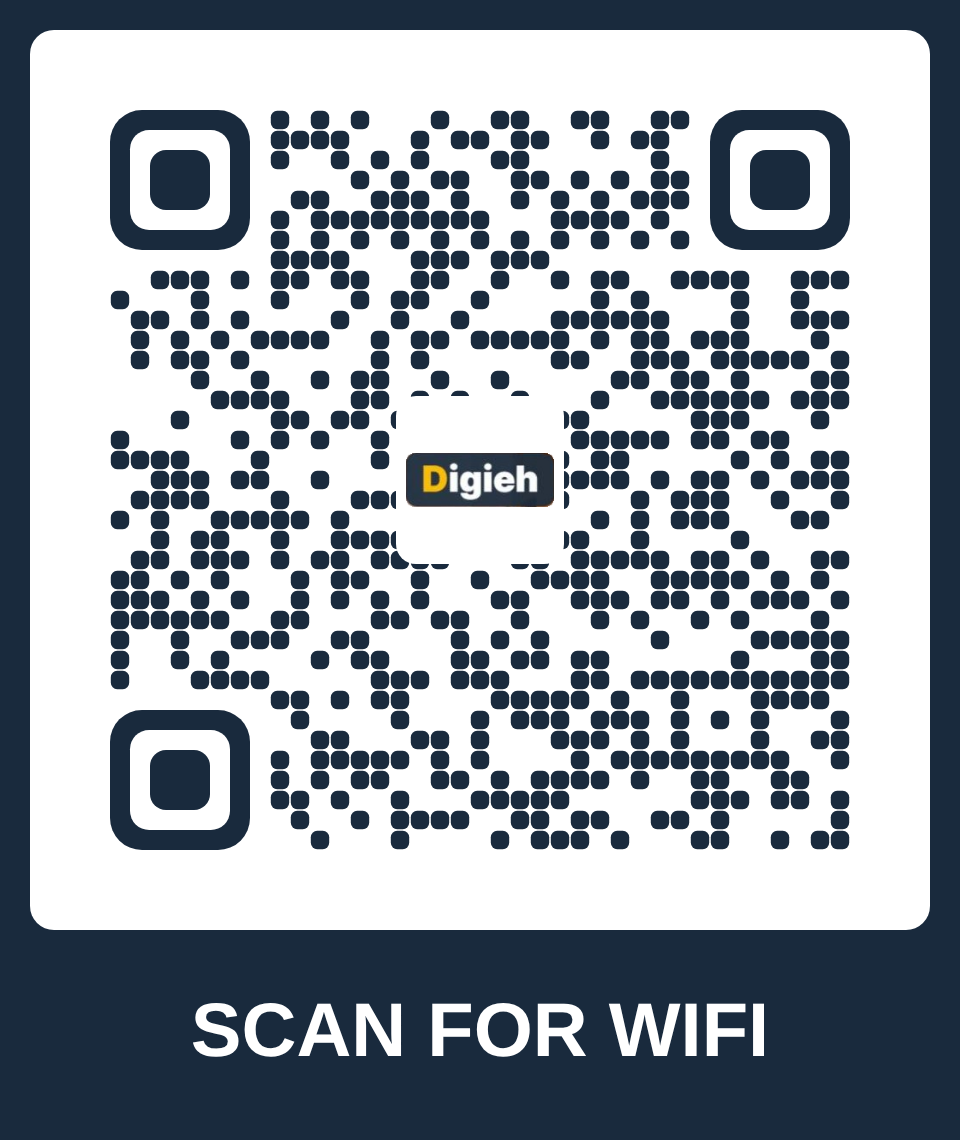
Settings we used
| Setting | What we used |
|---|---|
| Type | WiFi, WPA |
| Colors | Navy #192a3d on white |
| Style | Rounded dots and corners, frame "Scan for WiFi" |
| Error correction | High (logo added) |
| Scan check | passed, also decoded by ZXing |
| Print size | At least 10 cm for 1 metre |
How to make a QR code
1
Pick what it opens
Choose a link, WiFi, contact, WhatsApp or another type, and fill in the details. Or describe it and Digieh AI fills it in.
2
Style it
Choose colors, dots, corner squares, a frame with text and your logo.
3
Check and download
The scan check must pass. Then download a PNG or SVG at print size.
Why these codes never stop working
Many QR generators make a "dynamic" code that runs through their servers. When the free trial ends, the code stops working, even on menus, cards and invitations you already printed. Codes made here are static: the link or details are stored inside the code itself, so they keep working for as long as the printout lasts. If you need to change the link after printing, the Pro dynamic code costs a few credits once, with no monthly plan, and never turns into an ad page. Each code is also read back before download, so a logo or color choice never leaves you with a code that will not scan.
Which code type to use
| You want | Use this type |
|---|---|
| Restaurant menu or website | Website link, with a frame that says "Scan for menu" |
| Guests joining your WiFi | WiFi, with the network name and password |
| Business card | Contact card, so people save your details in one tap |
| Customers messaging you | WhatsApp chat, with a ready message |
| Event poster or invitation | Calendar event, or a link to the event page |
| Shop or office location | Location, with your map position |
Tips for a QR code that always scans
Keep the text short
Short links make simpler codes that scan faster from further away.
Dark code, light background
Scanners read dark-on-light best. Light codes on dark backgrounds often fail.
Test before you print many
Scan your printed sample with two different phones before printing hundreds.
Frequently asked questions
Can I make QR labels for my pharmacy or shop?
Yes. Use Product labels. Type your items or upload a CSV from your stock software with name, price, pack size, batch, expiry and barcode. Pick an A4 label sheet or a thermal roll size and print. The code can hold the item code for your billing scanner, the product details for any phone, or a GS1 Digital Link for products with a GTIN barcode.
Will my billing scanner read these labels?
Most 2D scanners read QR codes and type the code just like a normal barcode. Older 1D laser scanners cannot read QR codes, so pick Code 128 (or QR code + Code 128) in "Code on the label". Test one printed label with your scanner first.
Which barcodes can I print?
Code 128 for any item code, EAN-13 and EAN-8 for shop products, UPC-A and UPC-E for US and Canada products, ITF-14 for cartons, Code 39 for older stock systems, GS1-128 with batch and expiry, and GS1 DataMatrix, the 2D code used on medicine packs. Every barcode is built from the official rules and its check digit is checked before you print.
Can I change the link after I print the code?
Yes, with a dynamic code (Pro). The code holds a short digieh.com link, and you can point it to a new page any time and see how many people scanned it. It costs 10 credits once, with no monthly plan. Every link is checked for scam tricks, and you can pause a code at any time.
Do these QR codes expire?
No. They are static codes, so the link or details are inside the code itself. They work for as long as the printed code lasts, with no subscription.
Is the QR Code Maker free?
Yes. Making, styling, checking and downloading codes is free with no sign-up and no watermark, including batches. The Digieh AI fill-in has 5 free uses a day.
Can I add my logo?
Yes. Add a PNG, JPG or SVG logo. Error correction goes up to High automatically, and the scan check tells you if the logo is too big.
What does the scan check do?
It reads your styled code back module by module, like a scanner does, and checks the colors, contrast and quiet border. If it would not scan reliably, downloads stay locked and Fix it for me repairs it.
Can I change the link after printing?
No. Static codes cannot be changed after printing, which is why they never expire. If you may need to change the address, point the code at a page on your own website that you can update.
How big should I print a QR code?
About one tenth of the scanning distance. For a menu or card, 2 to 2.5 cm is enough. For a poster read from 5 metres, print it at least 50 cm wide.
PNG or SVG?
PNG works everywhere. SVG is a vector file that stays sharp at any size, so it is best for print shops and large signs.
How do I spot a QR code scam?
Use the QR Safety Check. Paste the link the code shows, or upload a photo, and it checks for short links, look-alike brand names, insecure links and fake payment pages.
How do I make a WiFi QR code?
Choose WiFi, type the network name and password and pick the security type. Guests scan it and join without typing the password.
QR code is a registered trademark of DENSO WAVE INCORPORATED. Codes follow the ISO/IEC 18004 standard.
How can we make the QR Code Maker better?
Missing a code type or a style? Tell us. We read every note.