TRENDING
How to Merge PDF Files for Free Fast

8 min read
Last updated November 10, 2026
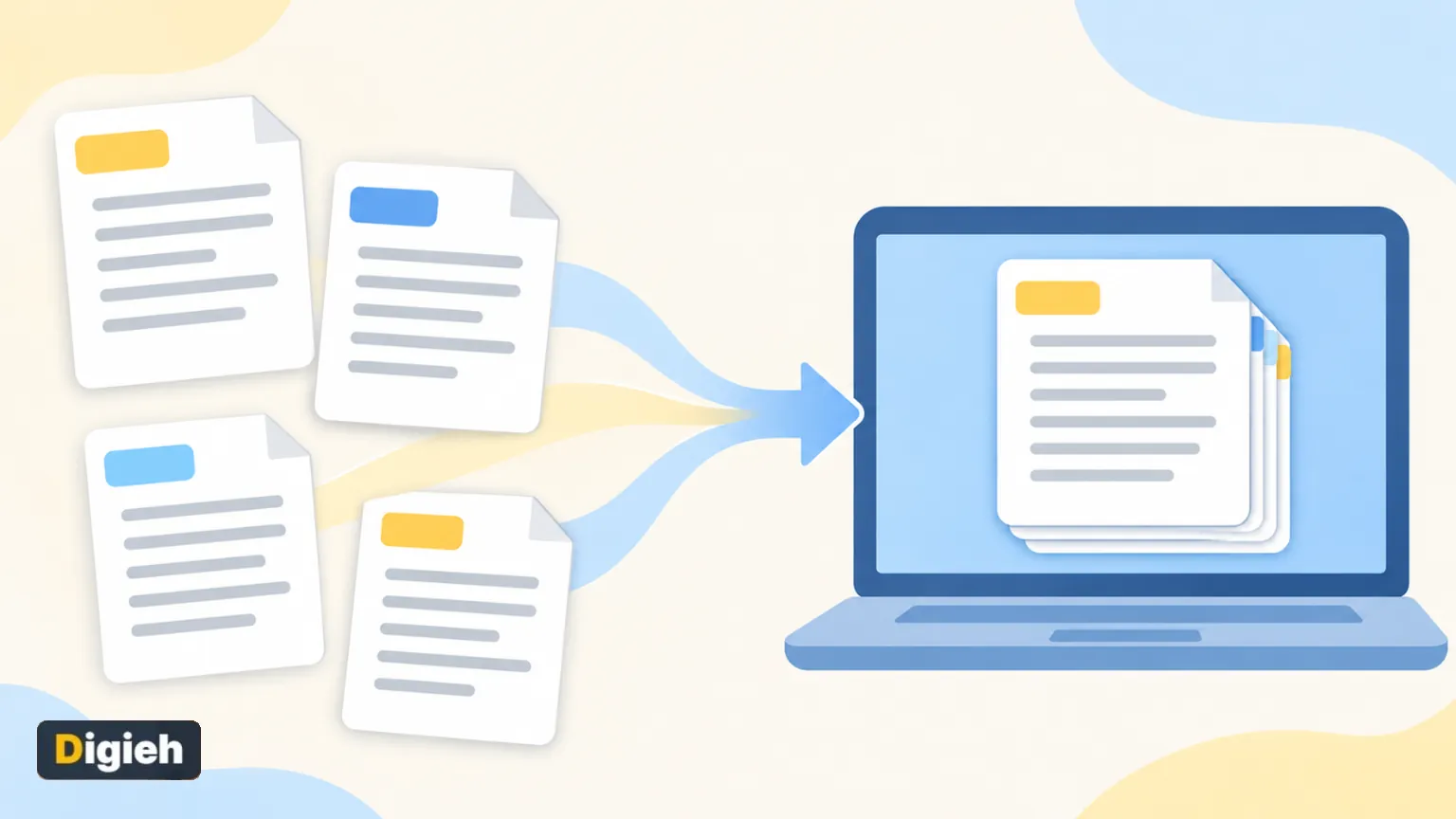
To merge PDF files for free, open a browser tool like Paperlume Merge PDF. Drop in your files, drag them into order and tap Merge. You get one combined PDF in seconds.
Mac users can also combine PDFs with Preview or Finder, which are built into macOS. Windows has no built-in merge button, so a free browser tool is usually the fastest choice.
This guide covers every free method, how to pick pages from each file and how to keep private documents safe.
Key Takeaways
- Free browser tools merge PDFs without installing anything.
- Paperlume works inside your browser, so files are not uploaded.
- You can pick certain pages from each file before merging.
- Mac users can merge with Preview or Finder Quick Actions.
- Compress the merged file afterward if it is too big to email.
Jump to a section
- Why merge PDFs
- Merge PDFs with Paperlume
- Choose pages from each file
- Merge PDFs on a Mac
- Merge PDFs on Windows
- Merge PDFs on a phone
- Methods compared
- Keep private files safe
- Fix common problems
- Frequently asked questions
Why Merge PDF Files?
Many forms and portals accept only one file. Merging saves you from sending five separate attachments.
- Combine scanned pages of a contract into one document.
- Join receipts for an expense report or tax records.
- Put a cover letter, resume and references in one file.
- Bundle school assignments or lecture notes by week.
- Group travel tickets and bookings for a trip.
Adobe created PDF so a document looks the same on any device. Adobe says the format is now an open standard, which is why merged files open almost everywhere.
1992The year Adobe’s Camelot Project became the PDF format, according to Adobe.
How to Merge PDFs With Paperlume
Paperlume Merge PDF is free, needs no sign-up and has no file limits. Here is how to use it.
- Open the Paperlume Merge PDF page in any modern browser.
- Drop two or more PDFs on the box, or tap to choose them.
- Drag the files into the order you want.
- Tap Sort A to Z if your file names follow a number order.
- Type page numbers under any file to use only some pages.
- Keep “Add a bookmark for each file” turned on for easy navigation.
- Tap Merge PDFs, then download your combined file.
Need more files after you start? Tap Add more PDFs. The new files join the end of the list, and you can drag them into place.
Quick tip. Name files with numbers first, like 01-cover and 02-report. Sort A to Z then puts them in the right order instantly.
How to Choose Pages From Each File
You do not always need every page. Paperlume lets you type a page list under each file name.
| What you type | What you get |
|---|---|
| 1-3 | Pages 1, 2 and 3 |
| 1-3, 5 | Pages 1, 2, 3 and 5 |
| 2, 4, 6 | Only pages 2, 4 and 6 |
| Leave blank | Every page in the file |
Bookmarks make the merged file easy to move around. Each file gets its own bookmark, and the tool keeps any bookmarks from the original files under it.
Fillable form fields from the original files also stay in place, so you can still type into them after merging.
What do you merge PDFs for most often?
- Work or school documents
- Receipts and bills
- Applications and forms
- Not sure
How to Merge PDFs on a Mac
Using Preview
Apple explains how to combine PDFs in Preview.
- Open the PDFs in Preview.
- Choose View, then Thumbnails, to show the page sidebar.
- Drag pages from one file’s sidebar into the other file’s sidebar.
- Drag thumbnails to change the page order.
Preview saves changes automatically. Apple suggests choosing File, then Duplicate, first if you want to keep the original files.
Using Finder
Apple also shows how to combine files into a PDF from Finder. Select the files in the order you want, Control-click them, then choose Quick Actions and Create PDF.
Your Mac names the new PDF after the first file you selected. Rename it so it is easy to find later.
Finder is perfect for quick jobs. For choosing single pages or adding bookmarks, a dedicated merge tool gives you more control over the final file.
How to Merge PDFs on Windows
Windows does not include a simple button for joining PDFs. Most people use a free browser tool or a paid PDF editor.
A browser tool is the quickest free choice. Open Paperlume in Edge, Chrome or Firefox and follow the steps above. You do not need to install anything.
How to Merge PDFs on a Phone
You can merge PDFs on Android or iPhone with the same browser tool.
- Open the Merge PDF page in Chrome or Safari.
- Tap the upload box and pick PDFs from your files.
- Drag the files into order with your finger.
- Tap Merge PDFs and save the file to your phone.
Very large files may take longer on older phones. If a file feels slow, merge fewer files at a time.
Merge Methods Compared
| Method | Cost | Works on | Uploads your files |
|---|---|---|---|
| Paperlume in your browser | Free | Windows, Mac, phones | No |
| Mac Preview | Free with macOS | Mac only | No |
| Mac Finder Quick Actions | Free with macOS | Mac only | No |
| Paid PDF editors | Subscription | Most computers | Depends on the app |
| Random upload websites | Often free with limits | Any browser | Usually yes |
Organize Files Before You Merge
A few minutes of prep makes the final file far easier to use. Start by deciding the order a reader should see.
- Put a cover page or summary first.
- Group related files together, like all receipts for one month.
- Rename files with numbers so they sort correctly.
- Remove blank or duplicate pages with the page list.
Free updates
Join the Digieh list
Be the first to know when our weekly brief launches.
No spam. Unsubscribe anytime. Read our Privacy Policy.
Merging Scanned Documents
Phone scans and office scanner files merge just like any other PDF. The pages stay as pictures, so the merged file can get large.
Scan at a sensible quality, such as 200 to 300 dots per inch, for clear text without huge files. If the result is still too big, compress it after merging.
How Many Files Can You Merge?
Paperlume has no set file limit. The real limit is your device memory, since all the work happens in your browser.
Most computers handle dozens of normal PDFs at once. For hundreds of large scans, merge them in a few smaller batches, then merge those batches together.
Keep Private Files Safe
People often merge bank statements, medical forms and ID copies. Uploading those to an unknown site is a real risk.
- Choose tools that say files stay on your device.
- Avoid sites that demand an email address before download.
- Check the web address before you drop in a file.
- Delete merged copies you no longer need.
Paperlume runs like a calculator on your own device. The merging happens in your browser, so files never travel over the internet.
Good to know. Password-locked PDFs cannot be merged until you remove the password with the right software. Paperlume will tell you if a file is locked.
Read next. Need the opposite? Learn PDF splitting.
Fixing Common Merge Problems
| Problem | Likely cause | Quick fix |
|---|---|---|
| Pages in the wrong order | You added files out of order | Drag files or use Sort A to Z |
| File will not open | Password lock or damaged file | Remove the lock or get a fresh copy |
| Merged file is too big | Large scans or photos | Compress the PDF after merging |
| Some pages are missing | Page list typed under a file | Clear the page box to use all pages |
If the merged file is too large to email, run it through the free Paperlume Compress PDF tool. It shrinks images while keeping text sharp.
After You Merge
Need the opposite job later? You can split a PDF into separate pages just as easily.
Want to edit the merged text? Convert it with our PDF to Word converter, and read our guide on keeping the layout when converting.
Your PDF Merge Checklist
- Pick a tool that keeps files on your device
- Name files in the right order
- Choose only the pages you need
- Keep bookmarks turned on
- Check the merged file page by page
- Compress it if it is too big to send
Try this today. Gather this month’s receipts and merge them into one PDF. Future you will thank you at tax time.
Test Yourself
What does typing 1-3, 5 under a file do in Paperlume Merge PDF?
- Merges five files
- Uses only pages 1, 2, 3 and 5
- Deletes pages 1 to 5
A page list tells the tool which pages to take from that file. Leave it blank to use every page.
Frequently Asked Questions
How do I merge PDF files for free?
Use a free browser tool like Paperlume Merge PDF. Drop in your files, arrange them and tap Merge.
Can I merge PDFs without uploading them?
Yes. Paperlume and Mac Preview both work on your own device without uploading files.
Can I merge only some pages from each PDF?
Yes. In Paperlume, type a page list such as 1-3, 5 under each file name.
How do I merge PDFs on Windows?
Windows has no built-in merge button, so use a free browser tool in Edge, Chrome or Firefox.
Conclusion
Merging PDFs is quick and free with the right tool. A browser tool works on any device, while Mac users also have Preview and Finder.
Try Paperlume Merge PDF on your next batch of files and keep everything on your own device.
Found this useful?
Editor’s Note
This guide is accurate as of November 10, 2026. Mac steps come from Apple Support, and PDF background comes from Adobe. Paperlume is a free tool made by Digieh.
Software features change over time, so check each tool before you rely on it fully.
Spot an error in this article? Please contact us at support@digieh.com or read our Corrections Policy.
Keep exploring
Your next read is waiting
 1FashionHow to Clean White Sneakers So They Shine9 min read
 2Fruits & VegetablesPineapple Health Benefits and How to Cut It9 min read
 3MedicinesHow Long Do Antibiotics Take to Start Working?9 min read
 4Finance & MarketsAnthropic IPO Explained: Date, Ticker and Key Numbers5 min read
 5Travel & TourismHow to Pack a Carry-On for a Week9 min read
 6AI & TechClaude Fable 5.2 and Mythos 5.2: What Changed4 min read