TRENDING
How to Improve Your Posture While Working From Home

8 min read
Last updated November 6, 2026
For better posture at home, set your screen at eye level and keep your feet flat. Sit back in your chair with your lower back supported. Stand up and stretch every 30 to 60 minutes.
Long hours at a kitchen table or couch can strain your neck and back. A few small changes can help you feel better.
See a doctor or physical therapist if you have ongoing pain, numbness or tingling.
Key Takeaways
- Raise your screen to eye level.
- Support your lower back with a cushion.
- Keep your feet flat on the floor or a footrest.
- Take short movement breaks often.
- Avoid working from the couch or bed.
On This Page
- Why Posture Matters
- How to Set Up Your Workspace
- 5 Easy Stretches for Desk Workers
- Healthy Work Habits
- When to Get Help
- Signs of Poor Posture
- What Good Sitting Posture Looks Like
- The Problem With Laptops
- Try a Standing Desk
- Phone Posture Matters Too
- Strengthen the Muscles That Support Posture
- Protect Your Eyes
- Sleep Posture
- Build Posture Reminders
- Posture for Kids and Teens
Why Posture Matters
Slouching puts extra pressure on your neck, shoulders and back. Over time, it can lead to stiffness and pain.
Good posture can also help you breathe better and feel more alert.
30-60 minHow often to stand up and move during desk work.
How to Set Up Your Workspace
| Part | Ideal setup |
|---|---|
| Screen | Top of screen at or just below eye level |
| Chair | Lower back supported, hips slightly above knees |
| Keyboard | Elbows bent about 90 degrees |
| Feet | Flat on the floor or a footrest |
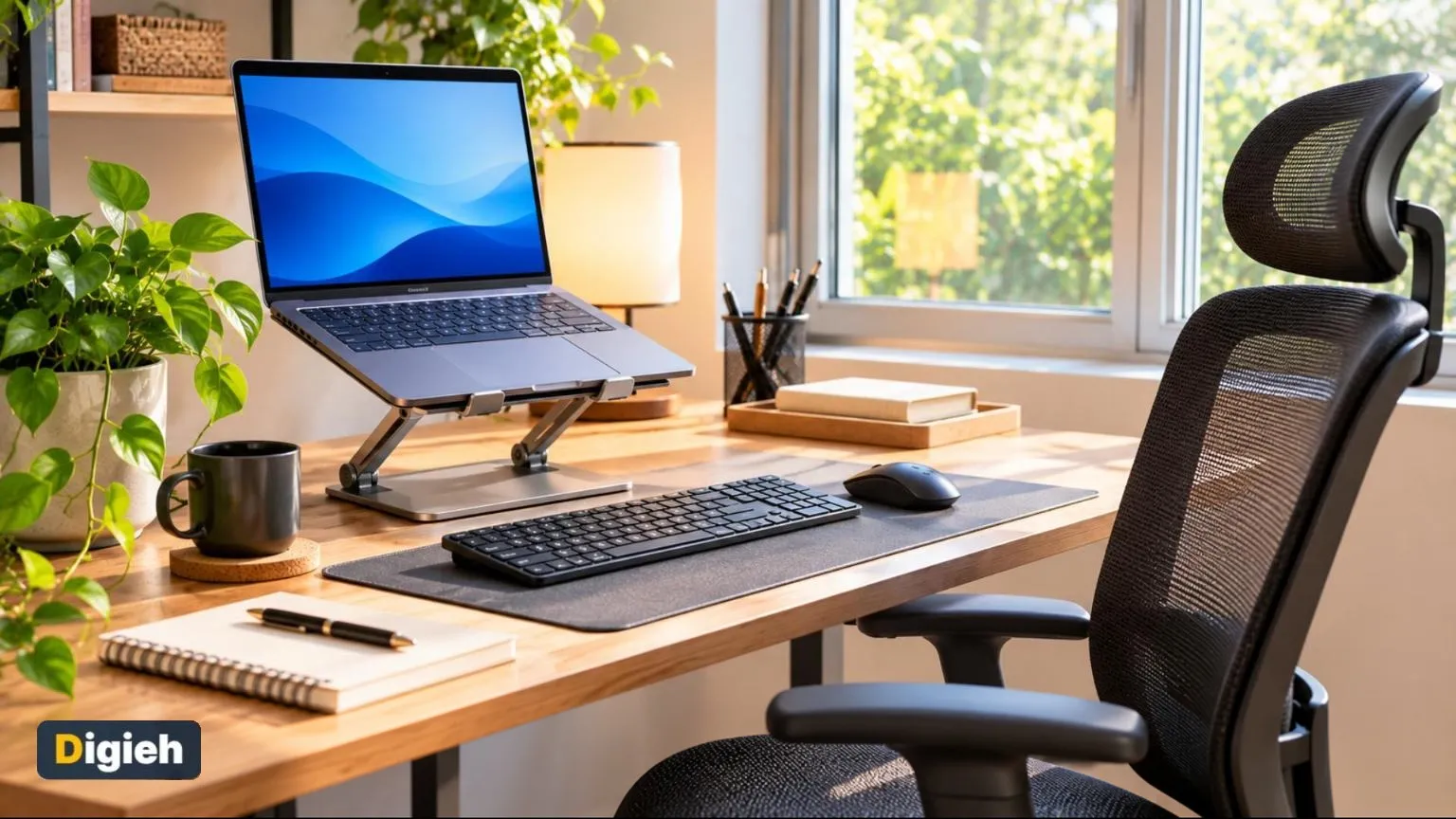
| Laptop | Use a stand with a separate keyboard |
Quick tip. Sit with your hips all the way back in the chair. It helps your spine stay in a natural curve.
5 Easy Stretches for Desk Workers
The Centers for Disease Control and Prevention (CDC) explains what counts as physical activity for adults.
1. Neck Tilts
Slowly tilt your ear toward your shoulder. Hold for 15 seconds on each side.
2. Shoulder Rolls
Roll your shoulders back 10 times, then forward 10 times.
3. Seated Twist
Sit tall and gently turn your upper body to each side.
Where do you usually work from home?
- Desk
- Kitchen table
- Couch
- Bed
4. Chest Opener
Clasp your hands behind your back and lift your chest gently.
5. Standing Hamstring Stretch
Stand and reach toward your toes with soft knees.
Use this calculator to plan your movement breaks.
Movement break planner
Good to know. Even a one-minute stretch break helps reduce stiffness.
- Screen at eye level
- Lower back support
- Feet flat or on a footrest
- Elbows near 90 degrees
- Stretch timer set
- Water nearby
Healthy Work Habits
Set a timer to stand up every 30 to 60 minutes. Walk around during phone calls.
The Mayo Clinic explains how to set up a healthy workspace.
Keep water nearby. Refilling your glass gives you a natural reason to move.
Budget Fixes for a Better Setup
Stack sturdy books under your laptop to raise the screen. Roll up a towel for lower back support.
Offers can change and many vary by location. Confirm before you go.
Use a small box as a footrest if your feet do not reach the floor. These simple swaps cost nothing.
When to Get Help
See a doctor or physical therapist for pain that lasts more than a few weeks. Get help sooner for numbness, tingling or weakness.
The American Optometric Association explains how long screen time strains the eyes.
Add to calendar
Signs of Poor Posture
Poor posture often creeps in slowly. You may not notice it until something starts to ache.
- Rounded shoulders
- Head pushed forward toward the screen
- Slumped lower back
- Stiff neck at the end of the day
- Tight hips after long hours of sitting
- Headaches that start at the base of the skull
Check yourself in a mirror or ask someone to take a side photo while you work. It can reveal habits you did not know you had.
What Good Sitting Posture Looks Like
Good posture is not about sitting stiffly. It means keeping your body in a relaxed, balanced position.
| Body Part | Good Position |
|---|---|
| Head | Balanced over your shoulders, chin level |
| Shoulders | Relaxed and down, not hunched |
| Back | Supported, with a gentle curve in the lower back |
| Elbows | Close to your sides |
| Wrists | Straight, not bent up or down |
| Knees | About level with or slightly lower than your hips |
The best posture is your next posture. Changing positions often matters more than holding one perfect pose.
The Problem With Laptops
Laptops make good posture hard. When the screen is at the right height, the keyboard is too high.
When the keyboard is at the right height, the screen is too low. That makes you bend your neck.
The fix is simple. Raise the laptop on a stand or books and use a separate keyboard and mouse.
Try a Standing Desk
Standing desks let you switch between sitting and standing. Many people find this helps with stiffness.
You do not need to stand all day. Standing for long periods can also strain your legs and back.
Try switching between sitting and standing every 30 to 60 minutes. Listen to your body.
If you stand, wear supportive shoes. An anti-fatigue mat adds comfort.
Phone Posture Matters Too
Many people bend their necks forward to look at phones. This posture can strain the neck over time.
- Lift your phone closer to eye level.
- Use both hands to hold it at a comfortable height.
- Take breaks from scrolling.
- Use voice-to-text for long messages.
Rest your elbows on a table or armrest when you read on your phone. It supports your arms.
Free updates
Join the Digieh list
Be the first to know when our weekly brief launches.
No spam. Unsubscribe anytime. Read our Privacy Policy.
Strengthen the Muscles That Support Posture
Strong muscles make good posture easier to hold. Simple exercises help.
Wall Angels
Stand with your back against a wall. Slide your arms up and down slowly, like making a snow angel.
Plank
Hold your body straight on your forearms and toes. Start with 15 to 30 seconds.
Glute Bridges
Lie on your back with knees bent. Lift your hips, squeeze your glutes and lower slowly.
Bird Dog
On hands and knees, reach one arm forward and the opposite leg back. Hold, then switch.
Do these a few times a week. The Centers for Disease Control and Prevention (CDC) recommends muscle-strengthening activities at least two days a week for adults.
Protect Your Eyes
Eye strain often goes along with poor posture. People lean in when they cannot see the screen clearly.
Follow the 20-20-20 rule. Every 20 minutes, look at something 20 feet away for 20 seconds.
Increase text size so you do not lean forward. Reduce glare by adjusting lights and screen brightness.
Sleep Posture
Your posture at night affects how you feel during the day. A good sleep position supports your spine.
Use a pillow that keeps your neck in line with your spine. Side sleepers often need a thicker pillow.
A pillow between your knees can ease pressure on your hips and lower back when you sleep on your side.
Build Posture Reminders
Good posture takes practice. Simple reminders help you build the habit.
- Set a phone alarm to check your posture.
- Place a sticky note on your monitor.
- Use stand-up reminders on a smartwatch.
- Do a quick posture check when you get a message.
Over time, sitting well will feel natural.
Posture for Kids and Teens
Kids spend more time on screens and carrying heavy backpacks. Good habits now can help later.
- Use both backpack straps instead of one.
- Keep backpacks light, with only what kids need that day.
- Set up a homework spot with a table and chair.
- Encourage active play and sports.
Remind kids to take breaks from tablets and phones. Make movement part of the daily routine.
Posture Mistakes to Avoid
Many people slip into poor posture without noticing. Watch out for these common habits.
- Working from the couch or bed for hours
- Leaning forward toward the screen
- Crossing your legs for long periods
- Sitting without a break for most of the day
Set a reminder to check your posture every hour. Small corrections add up over a long workday.
Move More During the Workday
Moving often is one of the best things you can do for your body. It helps your back, neck and mood.
Stand up and walk around during phone calls. Refill your water bottle often to give yourself more short breaks.
Try a short stretch every time you finish a task. A few minutes of movement can reduce stiffness.
Create a Clear End to Your Day
Shut your laptop and step away from your desk when work ends. This helps your body rest and recover.
Try this today. Raise your laptop on a stack of books today so the top of the screen sits at eye level.
Test Yourself
Where should the top of your screen be?
- At or just below eye level
- At chest level
- Above your head
Eye level keeps your neck neutral.
How often should you take a movement break?
- Once a day
- Never
- Every 30 to 60 minutes
Regular breaks reduce stiffness.
Frequently Asked Questions
Where should my computer screen be?
The top of the screen should be at or just below eye level.
How often should I take breaks?
Stand and move every 30 to 60 minutes.
Can I fix posture with a cushion?
A lumbar cushion helps support your lower back.
Is working from the couch bad?
It often leads to slouching. A table and chair are better.
What is the 20-20-20 rule?
Every 20 minutes, look at something 20 feet away for 20 seconds to rest your eyes.
Is a standing desk better than sitting?
Switching between sitting and standing often helps more than doing either all day.
What exercises help posture?
Wall angels, planks, glute bridges and bird dogs strengthen supporting muscles.
How do I use a laptop with good posture?
Raise the laptop to eye level and use a separate keyboard and mouse.
Wrapping Up
Raise your screen and set a stretch timer today. Your neck and back will thank you.
Get your tech ready with our guide to set up a new laptop. Keep moving with ideas to stay active in winter.
Found this useful?
Editor’s Note
This guide is accurate as of November 6, 2026. It is general information, not medical advice.
Spot an error in this article? Please contact us at support@digieh.com or read our Corrections Policy.
Keep exploring
Your next read is waiting
 1Food & LifestyleWhy 4 Irish Beaches Are Among Europe’s Best4 min read
 2Finance & MarketsHow to Cancel Unused Subscriptions and Save8 min read
 3HealthHow to Wash Your Hands Properly to Stop Germs8 min read
 4NewsHow 840,000 Trees Brought Tapirs Back to Brazil4 min read
 5BusinessHow to Ask for a Raise: Tips and What to Say8 min read
 6SportsHow to Choose Running Shoes That Fit Right8 min read