TRENDING
iPhone vs Android, Which Phone Should You Choose?

8 min read
Last updated November 9, 2026
Choose an iPhone if you want simple setup, long support and a phone that works closely with other Apple devices. Choose Android if you want more choice in price, design and customization.
Both are safe, fast and capable today. The right pick depends on your budget, the devices you already own and how much you like to tweak settings.
Key Takeaways
- Only Apple makes the iPhone, which runs iOS, so there are fewer models to compare.
- Android runs on phones from many brands, from budget models to premium foldables.
- Google promises seven years of updates for Pixel 8 and later phones.
- Switching later is possible, but moving apps, messages and accessories takes effort.
- Keep any phone updated, because updates fix security problems.
Inside this guide
- The basic difference
- Side-by-side comparison
- Price and choice
- Software updates and support
- Ecosystem and other devices
- Customization and ease of use
- Switching between them
- Frequently asked questions
The Basic Difference
An iPhone runs Apple’s own software, called iOS. Apple designs the hardware and software together, and only Apple sells iPhones.
Android is an operating system led by Google. Many companies build Android phones, including Google, Samsung, Motorola and others.
That one difference shapes almost everything else. It affects price, choice, updates and how much control you have.
iPhone vs Android Side by Side
| Feature | iPhone | Android |
|---|---|---|
| Who makes it | Apple only | Many brands |
| Price range | Mostly mid to high | Budget to premium |
| Customization | Some options | Many options |
| App store | App Store | Google Play and others |
| Best with | Mac, iPad, Apple Watch | Windows, Chromebook, many watches |
| Charging port | USB-C on recent models | USB-C on most models |
7Years of updates Google promises for Pixel 8 and later phones, per Pixel Phone Help.
Price and Choice
Android wins on choice. You can find solid phones at low prices, as well as high-end models with top cameras.
Foldable phones, rugged phones and phones with styluses are mostly Android options. If you want something unusual, Android likely has it.
iPhones start higher, but they often hold value well when you sell or trade them in. Apple also keeps older models on sale at lower prices.
Quick tip. Compare the total cost over the years you plan to keep the phone. A cheaper phone with short support may cost more in the end.
Software Updates and Support
Updates bring new features and fix security problems. The Federal Trade Commission advises turning on automatic updates in its guide to protecting your phone from hackers.
iPhone updates
Apple sends iOS updates to all supported iPhones at the same time. It lists every fix on its security releases page.
Apple does not publish a fixed number of support years. In practice, its new software often runs on iPhones that are several years old.
Android updates
Android update timing depends on the brand and model. Google says Pixel 8 and later phones get updates for seven years from their United States launch.
Samsung also promises long support on many recent flagship phones. Budget phones from some brands may get fewer years, so check before you buy.
Good to know. The support period usually starts when the phone first goes on sale, not when you buy it. An older model bought today has fewer years left.
Ecosystem and Other Devices
Think about the devices you already own. Your phone works best with gadgets from the same family.
If you use Apple devices
An iPhone links smoothly with a Mac, iPad, Apple Watch and AirPods. You can copy on one device and paste on another, or answer calls on your laptop.
If you use Windows or Google services
Android pairs well with Windows PCs, Chromebooks and Google apps. Many smartwatches and earbuds work with Android.
Google services like Gmail, Maps and Photos also run on iPhone. So moving between systems is easier than it once was.
Which phone are you using right now?
- iPhone
- Android
- Thinking of switching
- Not sure
Customization and Ease of Use
Android lets you change a lot. You can pick different home screen launchers, default apps and widget styles.
iPhone offers fewer choices but feels consistent. Many people find it easier to learn, which helps older users and children.
Both systems now support home screen widgets, custom lock screens and focus modes. The gap is smaller than it was a few years ago.
Want to get more from Apple’s software? Try our list of hidden iPhone features.
Cameras, Battery and Performance
Top iPhones and top Android phones take excellent photos. Differences come down to color style, zoom range and video features.
Battery life depends on the model, screen size and how you use the phone. Read independent reviews for the exact model you want.
High-end phones on both sides are very fast. Budget phones may feel slower after a few years of updates.
Storage is another key choice. Photos and videos fill a phone quickly, so pick more storage than you think you need.
Some Android phones accept memory cards, while iPhones do not. Cloud storage plans work on both, but they add a monthly cost.
Privacy and Security
Both systems include strong security when you keep them updated. Both let you control app permissions for location, camera and microphone.
Download apps only from trusted stores and check what each app asks to access. Use a strong passcode and turn on face or fingerprint unlock.
The Federal Trade Commission also suggests turning on the built-in feature that can find, lock or erase a lost phone.
Free updates
Join the Digieh list
Be the first to know when our weekly brief launches.
No spam. Unsubscribe anytime. Read our Privacy Policy.
Repairs, Cases and Resale
Popular phones are easier to live with. Cases, screen protectors and chargers are easy to find for iPhones and big Android brands.
Repair costs vary a lot by model. Ask about screen and battery repair prices before you buy, and consider a protection plan if you drop phones often.
Resale value matters if you upgrade often. Phones with long software support usually sell for more, because the next owner still gets updates.
Phones for Kids and Older Adults
Both systems offer parental controls. You can limit screen time, approve app downloads and filter websites.
Many families choose the same system for everyone. That makes it easier to share photos, find each other’s phones and help with settings.
For older adults, look for a large screen, loud speakers and simple settings. Both iPhone and Android include larger text, voice control and hearing aid support.
Spend time setting up the phone together. A short walkthrough helps more than any manual.
Accessibility Features
Both platforms include strong accessibility tools at no extra cost. Screen readers, magnifiers and live captions are built in.
You can also adjust contrast, reduce motion and use voice commands to control the phone. Try these settings in a store if they matter to you.
Switching Between iPhone and Android
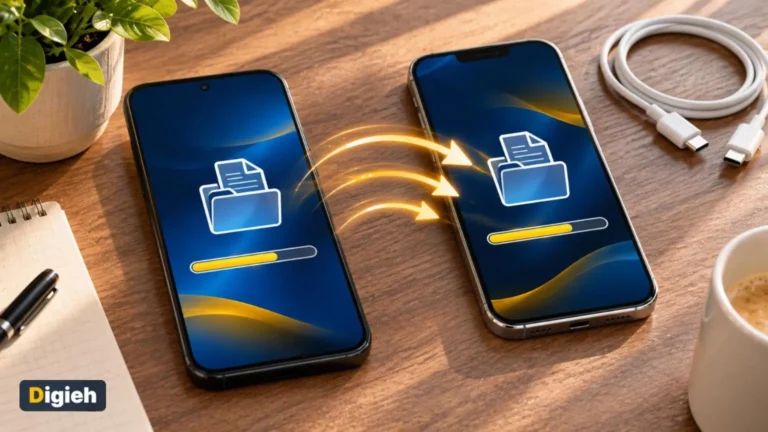
You can switch, but plan ahead. Apple and Google both offer tools to move contacts, photos and messages.
- Back up your old phone first.
- Check that your important apps exist on the new system.
- Remember that paid apps may need to be bought again.
- Turn off old messaging settings so texts reach your new phone.
- Check that your watch and earbuds work with the new phone.
Before you start, follow our guide on how to back up your phone so nothing gets lost.
If you move to Android, explore our guide to Gemini voice commands on Android. Hands-free help is a big part of the experience.
Which One Should You Choose?
Pick an iPhone if you
- Already use a Mac, iPad or Apple Watch
- Want a simple, consistent experience
- Plan to keep or resell the phone later
Pick Android if you
- Want the widest range of prices and designs
- Like to customize your home screen and apps
- Use Windows or Google services heavily
If you cannot decide, visit a store and use both for a few minutes. How a phone feels in your hand matters more than any spec sheet.
Your Phone Choice Checklist
- I set a total budget
- I checked how many update years the phone gets
- My key apps work on this system
- My other devices work with it
- I read reviews for the exact model
- I backed up my old phone
Try this today. Open the settings on your current phone and check for a software update. Then list the three apps you could not live without.
Test Yourself
How many years of updates does Google promise for Pixel 8 and later?
- Three years
- Seven years
- Ten years
Google says Pixel 8 and later phones get seven years of updates.
Which company makes iPhones?
- Only Apple
- Apple and Samsung
- Many brands
Apple designs and sells every iPhone.
Frequently Asked Questions
Is iPhone or Android more secure?
Both are secure when you keep them updated and install apps from trusted stores.
Which lasts longer, iPhone or Android?
It depends on the model. Recent iPhones and many flagship Android phones get long software support.
Can I move my photos from iPhone to Android?
Yes. Apple and Google both offer tools to transfer photos, contacts and more.
Conclusion
There is no single winner in the iPhone vs Android debate. Pick the system that fits your budget, your devices and your style.
Whatever you choose, check the update period and keep the phone updated. Test both if you can, and pick the one that feels right.
Found this useful?
Editor’s Note
This guide is accurate as of November 9, 2026. It draws on Google Pixel Phone Help, Apple Support and the Federal Trade Commission.
Phone prices and update policies change, so check the latest details before you buy.
Spot an error in this article? Please contact us at support@digieh.com or read our Corrections Policy.
Keep exploring
Your next read is waiting
 1PhonesPhone Not Charging? How to Fix It Step by Step8 min read
 2LaptopsHow to Choose the Best Laptop for Students in 20268 min read
 3Food & LifestyleWinter Dog Walking Safety: Smart Tips for Owners11 min read
 4Travel & TourismHow to Beat Jet Lag, Simple Tips That Work8 min read
 5EntertainmentHoliday Volunteering Ideas: Meaningful Ways to Give Back10 min read
 6Science & DiscoveriesGeminid Meteor Shower 2026, Peak Date and Tips8 min read