
TRENDING
How to Recycle Old Electronics Safely

8 min read
Last updated November 6, 2026
To recycle old electronics safely, back up your data and wipe the device first. Remove batteries if you can and take items to a certified electronic waste (e-waste) drop-off or store take-back program. Never toss phones, laptops or batteries in household trash.
New gadgets often arrive during the holidays. Recycling the old ones keeps harmful materials out of landfills and protects your privacy.
Key Takeaways
- Back up and wipe every device first.
- Remove phone and memory cards.
- Never put batteries in regular trash.
- Use certified recyclers or store programs.
- Donate working devices when you can.
On This Page
- Why E-Waste Recycling Matters
- How to Recycle Electronics Step by Step
- Where to Drop Off Old Devices
- How to Wipe Your Data
- Reuse Before You Recycle
- What Counts as Electronic Waste?
- Give Old Phones a New Job
- Prepare Your Device Before Recycling
- What Happens at a Recycling Plant
- Look for Certified Recyclers
- Donate Working Devices
- Sell Old Devices
- Do Not Forget Cables and Chargers
- Buy Smarter to Reduce Waste
- Close Old Accounts Too
- Make It a Family Project
Why E-Waste Recycling Matters
Old electronics contain metals and chemicals that can harm soil and water. Recycling recovers useful materials like copper and gold.
The Environmental Protection Agency (EPA) explains why recycling electronics helps.
Lithium batteries in trash can also spark fires in garbage trucks.
Many states have laws that ban some electronics from regular trash. Recycling keeps you on the right side of local rules.
5Simple steps to recycle old electronics safely and privately.
How to Recycle Electronics Step by Step
1. Back Up Your Data
Save photos, contacts and files to cloud storage or an external drive.
2. Sign Out of Accounts
Log out of email, app stores and find-my-device services.
3. Factory Reset
Use the reset option in settings to erase the device.
Quick tip. Turn off find-my-device before you reset. Otherwise the next owner or recycler may not be able to use it.
4. Remove Cards and Batteries
Take out Subscriber Identity Module (SIM) cards, memory cards and loose batteries.
5. Drop It Off
Take the device to a certified recycler, store program or local collection event.
How many old devices are in your drawers?
- None
- 1 to 2
- 3 to 5
- More than 5
Where to Drop Off Old Devices
| Option | What They Take |
|---|---|
| Electronics stores | Phones, cables, small devices, batteries |
| City collection events | Televisions (TVs), computers, printers |
| Maker take-back programs | Their own brand devices, often by mail |
| Certified e-waste recyclers | Most electronics |
Use this calculator to count your old devices.
Old device counter
Good to know. Look for recyclers with Responsible Recycling (R2) or e-Stewards certification for safe handling.
- Data backed up
- Accounts signed out
- Factory reset done
- Cards removed
- Battery ends taped
- Drop-off site found
How to Wipe Your Data
Phones and tablets have a reset option in settings. Laptops have a reset or reinstall tool.
The Federal Trade Commission (FTC) explains how to protect your phone and data from hackers.
For old hard drives, use a trusted erase tool or ask the recycler about data destruction.
Reuse Before You Recycle
Working devices can help others. Donate to schools, shelters or charity programs.
Some stores offer trade-in credit toward new devices.
Handle Batteries With Care
Tape the ends of loose lithium batteries before drop-off. This helps prevent sparks.
The Environmental Protection Agency (EPA) explains how to handle used batteries.
Swollen batteries need special care. Place them in a sealed bag and take them to a recycler soon.
Add to calendar
What Counts as Electronic Waste?
Electronic waste includes almost anything with a plug, battery or circuit board. Many people have more of it at home than they realize.
| Category | Examples |
|---|---|
| Phones and tablets | Old smartphones, tablets, e-readers |
| Computers | Laptops, desktops, monitors, keyboards |
| Home electronics | Televisions, speakers, game consoles |
| Small gadgets | Chargers, cables, headphones, smart watches |
| Household devices | Printers, routers, electric toothbrushes |
Check drawers, closets and garages. Old cables and chargers often pile up there.
Give Old Phones a New Job
An old phone does not always need to leave your home. It can still be useful.
- Use it as a music player or alarm clock.
- Turn it into a baby monitor or pet camera with an app.
- Keep it as an emergency backup phone.
- Use it as a remote control for smart devices.
Reset the phone and install only the apps you need. Keep it updated if it connects to the internet.
Prepare Your Device Before Recycling
Your old devices may hold personal information. Protect yourself before you let them go.
Back Up Your Data
Save photos, contacts and files you want to keep. Use a cloud service or an external drive.
Sign Out of Accounts
Sign out of email, app stores and cloud services. Turn off any find-my-device features.
Remove Cases and Accessories
Take off phone cases, screen protectors and stylus pens. Many drop-off sites want only the device itself.
Reset the Device
Use the factory reset option in the settings. It erases most personal data.
The Federal Trade Commission (FTC) explains how to protect your personal information online.
What Happens at a Recycling Plant
Electronics recycling follows several steps. Knowing them shows why proper drop-off matters.
Workers first remove batteries and other hazardous parts. Then machines shred the devices into small pieces.
Magnets and other tools separate metals, plastics and glass. These materials go on to make new products.
Responsible recyclers also destroy any data storage parts. This protects your personal information.
Look for Certified Recyclers
Not all recyclers handle electronics responsibly. Some ship waste overseas or dump it unsafely.
Look for recyclers with recognized certifications. Two common ones are Responsible Recycling (R2) and e-Stewards.
Ask the recycler how they handle data and hazardous materials. A reputable company will explain its process.
Free updates
Join the Digieh list
Be the first to know when our weekly brief launches.
No spam. Unsubscribe anytime. Read our Privacy Policy.
Donate Working Devices
If your device still works, consider donating it. Many groups put old electronics to good use.
- Schools and libraries
- Senior centers
- Shelters and nonprofits
- Community tech programs
Wipe the device first and include the charger. Ask the group what it needs before you donate.
Sell Old Devices
Newer phones and laptops can still have value. Selling them puts money back in your pocket.
Compare trade-in offers from stores and online buyers. Prices vary a lot.
Meet buyers in public places if you sell in person. Use secure payment methods.
Do Not Forget Cables and Chargers
Old cables and chargers pile up in drawers. Most recycling drop-offs accept them.
Keep a few spares for devices you still own. Recycle the rest at an electronics drop-off.
Bundle cables with a twist tie or rubber band. It makes drop-off quick and tidy.
Buy Smarter to Reduce Waste
The best way to cut electronic waste is to use devices longer.
- Buy quality devices that last.
- Use protective cases and screen covers.
- Repair devices instead of replacing them.
- Update software to keep devices running well.
- Buy refurbished devices when you can.
Small habits add up. Every device you keep longer means less waste.
Close Old Accounts Too
Old devices often connect to online accounts. Clean those up when you let a device go.
Remove the old device from your account settings, such as your phone maker’s device list. This stops it from receiving messages or backups.
Cancel any service plans tied to the device. Check for app subscriptions you no longer need.
Change passwords if you shared them on the old device. It adds an extra layer of protection.
Sign out of email and social media apps on the device before you reset it. Some services keep a device logged in until you remove it.
Make It a Family Project
Sorting old electronics can be a fun weekend task. Kids can help gather cables, remotes and old gadgets.
Talk with them about why recycling matters. It teaches care for the planet in a hands-on way.
Electronics Recycling Mistakes to Avoid
Some habits can harm the planet or put your data at risk. Watch out for these common mistakes.
- Throwing old batteries in the regular trash
- Recycling a device before wiping your data
- Leaving old devices in drawers for years
- Using recyclers with no clear certifications
Many batteries can cause fires in trash trucks. Take them to a proper battery drop-off location.
Teach Kids About E-Waste
Kids use many gadgets, so they can learn about recycling early. Simple lessons build good habits.
Show them where your family keeps old electronics for recycling. Explain why gadgets should not go in the trash.
Take them along when you drop off devices. Seeing the process helps the lesson stick.
Make a Yearly Recycling Day
Pick one day each year to gather old electronics at home. It keeps clutter low and makes recycling a habit.
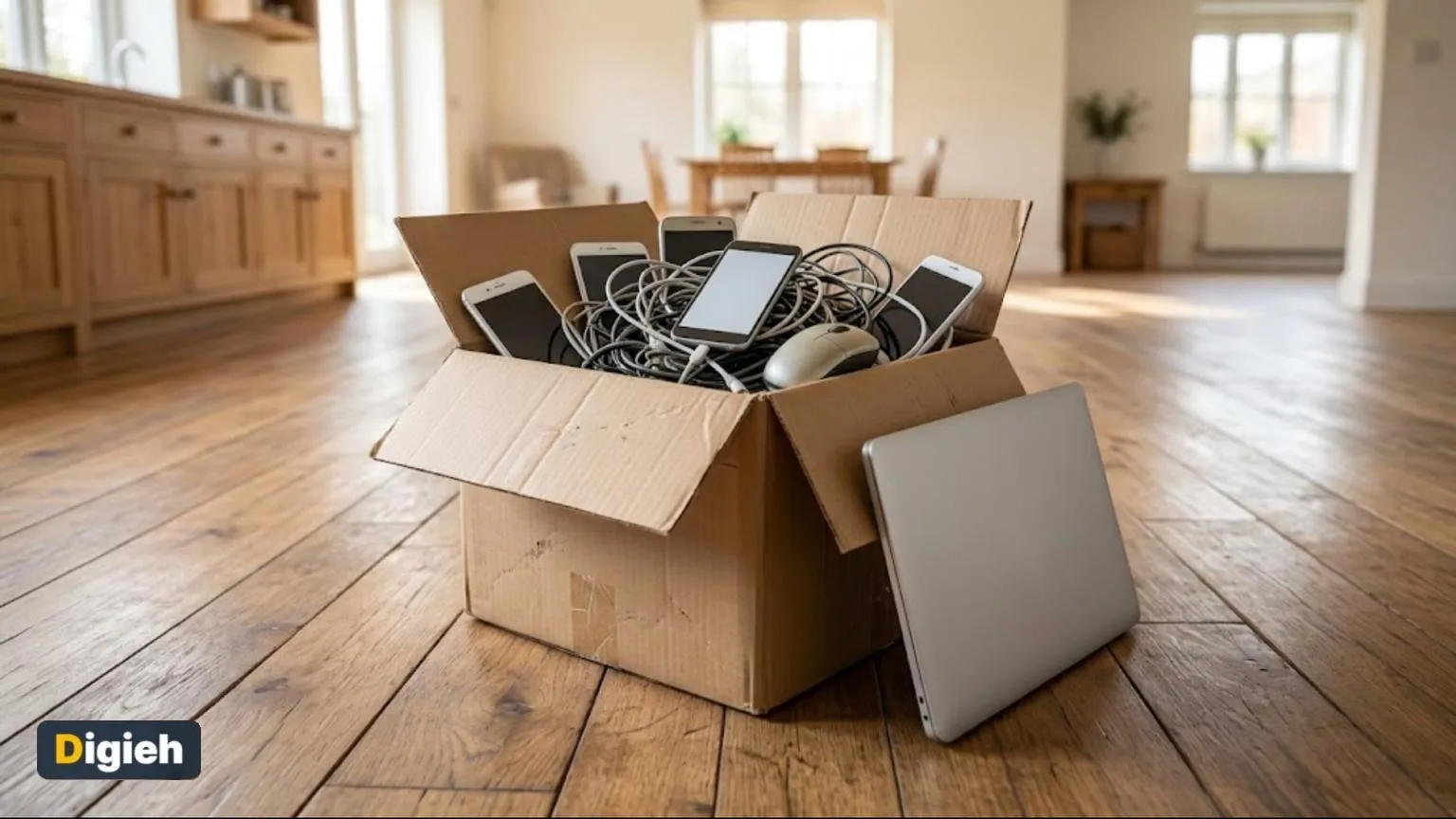
Try this today. Gather every old phone, cable and charger in one box today. Find your nearest drop-off spot before the weekend.
Test Yourself
What should you do before recycling a phone?
- Back up and factory reset it
- Paint it
- Charge it fully
This protects your personal data.
Why keep lithium batteries out of trash?
- They are too heavy
- They smell
- They can start fires
Damaged batteries can spark in garbage trucks.
Frequently Asked Questions
Can I throw old phones in the trash?
No. Batteries can cause fires and harm the environment.
Is recycling electronics free?
Many programs are free, but some charge for large items like televisions (TVs).
How do I find a recycler near me?
Check your city or county website for drop-off sites.
Do I need to wipe a broken device?
Yes, if possible. Ask the recycler about data destruction if it will not turn on.
What counts as electronic waste?
Almost anything with a plug, battery or circuit board, from phones to televisions.
How do I protect my data before recycling?
Back up your data, sign out of accounts, remove storage cards and do a factory reset.
What are certified electronics recyclers?
They meet recognized standards, such as Responsible Recycling (R2) or e-Stewards, for safe handling.
Can I donate old electronics?
Yes. Schools, libraries, shelters and nonprofits often accept working devices.
Wrapping Up
Gather your old gadgets this weekend and plan a recycling trip. Clear space and help the planet at once.
Save your files first with tips to back up your phone. Shop smart for replacements with our Black Friday guide.
Found this useful?
Editor’s Note
This guide is accurate as of November 6, 2026. Local recycling rules vary by city and state.
Spot an error in this article? Please contact us at support@digieh.com or read our Corrections Policy.
Keep exploring
Your next read is waiting
 1Food & LifestyleThe Best Time to Put Up Christmas Decorations9 min read
 2Finance & MarketsStock Market Crash Fears and the Simple Truth9 min read
 3NewsWinter Storm Watch vs Warning The Key Difference9 min read
 4HealthRhabdomyolysis Warning Signs That Every Person Should Know9 min read
 5TechnologyBest Time to See the November Beaver Moon9 min read
 6EntertainmentBest Thanksgiving Movies to Watch With the Family9 min read