TRENDING
Best Smart Thermostat Settings for Winter to Save Money

8 min read
Last updated November 9, 2026
For winter, start your smart thermostat at about 68 to 70 degrees Fahrenheit while you are home and awake. Lower the temperature by 7 to 10 degrees when you sleep or leave the house.
The Department of Energy says this setback can save as much as 10 percent a year on heating and cooling. The key is keeping it for at least 8 hours a day. This guide shows how to set a schedule, use smart features and avoid common mistakes.
Key Takeaways
- Start around 68 to 70 degrees when you are home and adjust for comfort.
- Set back 7 to 10 degrees while you sleep or are away.
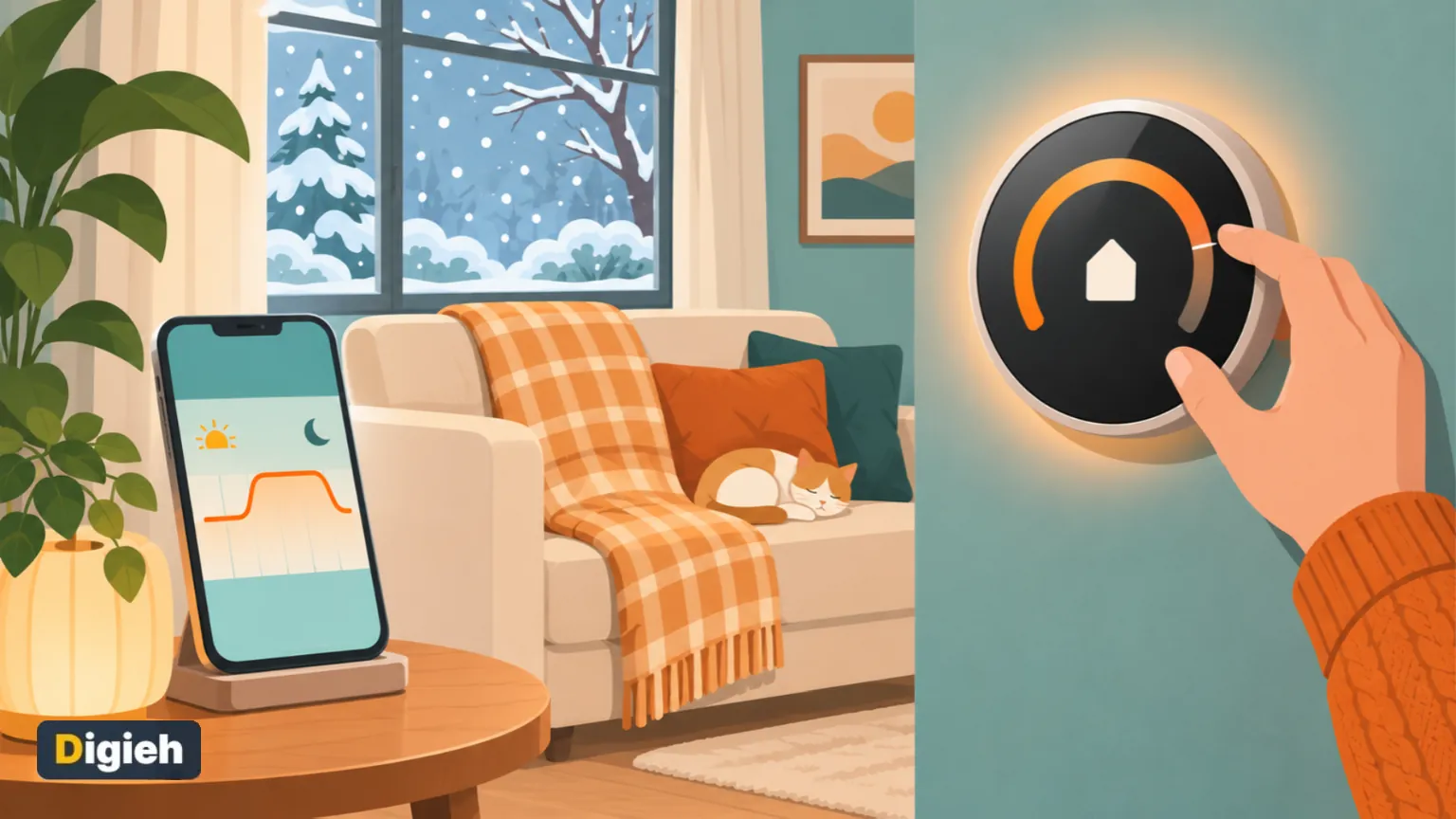
- Use schedules, geofencing and learning features to automate savings.
- Heat pump homes need gentler setbacks to avoid costly backup heat.
- Never set the heat too low in freezing weather, or pipes can freeze.
Inside this guide
- Best winter settings
- Build a weekly schedule
- Smart features to turn on
- Heat pump settings
- Settings for better sleep
- Away and vacation mode
- Placement and setup
- Common mistakes
- Frequently asked questions
Best Smart Thermostat Settings for Winter
In a winter energy tip, the agency recommends the lowest comfortable setting while you are home. It suggests starting around 68 to 70 degrees and adjusting from there.
| Time of day | Suggested setting |
|---|---|
| Morning, home and awake | 68 to 70 degrees |
| Daytime, away at work or school | 60 to 63 degrees |
| Evening, home and awake | 68 to 70 degrees |
| Overnight, asleep | 60 to 65 degrees |
These are starting points, not strict rules. Adjust a degree at a time until your family feels comfortable.
10%Possible yearly savings on heating and cooling, per the agency. It comes from a 7 to 10 degree setback for 8 hours a day.
Build a Weekly Schedule
Most smart thermostats let you set different temperatures for different times and days. A schedule does the work so you never forget.
- List when people wake up, leave, come home and go to bed.
- Set the comfort temperature for home and awake times.
- Set an energy-saving temperature for sleep and away times.
- Create a separate weekend schedule if your routine changes.
- Start warming the house about 30 minutes before you wake or return.
Review your schedule when seasons, school terms or work hours change. A quick update keeps savings on track.
Pro tip. Set the morning warm-up to finish just before your alarm. You wake up to a cozy house without heating it all night.
What temperature do you keep your home at in winter?
- Below 66 degrees
- 66 to 69 degrees
- 70 degrees or higher
- Not sure
Smart Features to Turn On
Smart thermostats can do much more than a basic programmable model. ENERGY STAR highlights several features that help save energy.
| Feature | What it does |
|---|---|
| Learning | Notices your habits and suggests or builds a schedule |
| Geofencing | Uses your phone location to tell when you leave or head home |
| Remote control | Lets you change settings from a phone app |
| Energy reports | Shows how much you heated and where you can save |
| Software updates | Keeps the thermostat running the latest features |
According to ENERGY STAR, heating and cooling make up almost half of the average household energy bill. Small changes in your settings can add up.
Turn on geofencing if everyone in your home is comfortable sharing phone location with the app. It works best when all adults set it up.
Heat Pump Settings
Heat pumps work differently from furnaces. Big setbacks can force them to use backup electric heat when warming back up, which costs more.
- Use smaller setbacks of about 2 to 4 degrees.
- Turn on the heat pump or smart recovery setting if your thermostat has one.
- Avoid cranking the temperature up suddenly.
- Check that the thermostat is set for a heat pump system during setup.
If you are unsure, ask your heating installer what setback works best for your system.
Settings for Better Sleep
A cooler bedroom often helps people sleep better. Many sleep experts suggest a cool room in the 60s.
Lowering the heat at night saves energy and may improve rest. Add warm blankets and flannel sheets to stay cozy.
Find more tips in our guide on how to sleep better in winter.
Away and Vacation Mode
Heading out of town? Use away or vacation mode to lower the heat while you are gone.
- Set the temperature no lower than about 55 degrees in freezing weather.
- Open cabinet doors under sinks on outside walls.
- Schedule the heat to return a few hours before you get home.
- Check the app during cold snaps to make sure the heat is running.
Setting the heat too low can let pipes freeze and burst. Learn what to do in our guide on what to do when pipes freeze.
Placement and Setup Tips
Where your thermostat sits changes the readings it uses. A bad spot can make your system run too much or too little.
- Mount it on an inside wall, away from windows and doors.
- Keep it out of direct sunlight and away from lamps and appliances.
- Avoid hallways with drafts or rooms you rarely use.
- Keep furniture from blocking airflow around it.
ENERGY STAR advises checking that the thermostat works with your heating and cooling system before buying. It also suggests keeping a Wi-Fi model reasonably close to the router.
Many smart thermostats need a common wire, called a C-wire, for steady power. Check your wiring or hire a pro if you are unsure.
Smart vs. Programmable Thermostats
| Feature | Programmable | Smart |
|---|---|---|
| Schedules | Yes, set by hand | Yes, often learned automatically |
| Phone app | Rarely | Yes |
| Location-based changes | No | Often |
| Energy reports | No | Usually |
| Price | Lower | Higher |
A programmable thermostat can save just as much if you set it and stick to it. Smart models make that easier for busy households with changing routines.
Check for Rebates
Many local utilities offer rebates or bill credits for installing a certified smart thermostat. Check your utility website before you buy.
Some programs also pay customers to let the utility nudge their temperature a little during peak demand. You can usually opt out of any single event.
Free updates
Join the Digieh list
Be the first to know when our weekly brief launches.
No spam. Unsubscribe anytime. Read our Privacy Policy.
Use Room Sensors and Zones
Some smart thermostats work with remote room sensors. They measure temperature in other rooms and balance comfort across the house.
Place sensors in the rooms you use most, like the living room and bedrooms. The thermostat can then focus on those spaces at the right times.
Drafty windows waste the heat your thermostat makes. Learn how to insulate windows for winter.
Pair Your Thermostat With Other Savings
- Seal drafts around windows and doors.
- Open curtains on sunny days and close them at night.
- Use ceiling fans on low in reverse to push warm air down.
- Replace furnace filters on schedule.
- Run a humidifier, since moist air can feel warmer.
Read more on how to lower your heating bill and try these smart plug ideas that save energy. Also see how to use a humidifier safely.
Your First Week With a Smart Thermostat
A new smart thermostat needs a little time to learn your home. Use the first week to fine-tune.
- Set a basic schedule on day one.
- Adjust the temperature by hand whenever you feel too warm or cool.
- Check the app nightly to see how it ran.
- Turn on energy reports and savings tips.
- Review and lock in your schedule at the end of the week.
After that, check in once a month. Small tweaks keep your home comfortable as the weather changes.
Common Thermostat Mistakes
- Cranking the heat way up to warm the house faster
- Turning the heat off completely during freezing weather
- Using large setbacks with a heat pump
- Placing the thermostat near a heat source or drafty door
- Ignoring the schedule after your routine changes
A thermostat heats the house at the same speed no matter how high you set it. Turning it up to 80 degrees just makes it overshoot.
Keep Everyone Comfortable
Not everyone feels temperature the same way. Older adults, babies and people with some health conditions may need a warmer home.
Raise the setting a little if someone in your home feels chilly or is unwell. Comfort and safety matter more than saving a few dollars.
Plan for Outages
Smart thermostats need power and often Wi-Fi to work their best. During a winter outage, your heating may stop entirely.
Have blankets, warm layers and a safe backup plan ready. Our guide to power outage preparedness explains what to do.
Your Winter Thermostat Checklist
- 68 to 70 degrees when home and awake
- Set back 7 to 10 degrees for sleep or away
- Turn on schedules and geofencing
- Smaller setbacks for heat pumps
- No lower than about 55 degrees when away in freezing weather
- Mount on an inside wall away from drafts
Test Yourself
How much can a 7 to 10 degree setback for 8 hours a day save each year?
- About 1 percent
- Up to about 10 percent
- About 50 percent
The energy agency says this setback can save as much as 10 percent a year on heating and cooling.
Why should heat pump homes use smaller setbacks?
- Heat pumps have no schedules
- Heat pumps only work in summer
- Big setbacks can trigger costly backup heat
Large jumps can make a heat pump rely on backup electric heat strips.
Frequently Asked Questions
Is it cheaper to leave the heat on all day?
Usually not. Setting it back while you are away tends to save energy.
What is a good thermostat setting at night?
Many people sleep well between 60 and 65 degrees.
Do smart thermostats really save money?
They can, especially when you use schedules and setbacks.
Can a smart thermostat work without Wi-Fi?
Most keep running on their schedule, but remote control stops.
Conclusion
The right smart thermostat settings keep you warm and cut your winter bill. Start around 68 to 70 degrees at home and set back 7 to 10 degrees while sleeping or away. Let schedules do the work.
Use gentler setbacks with heat pumps and never let your home get cold enough to freeze pipes.
Found this useful?
Editor’s Note
This guide is accurate as of November 9, 2026. It draws on energy-saving advice from the federal energy department and ENERGY STAR.
Your savings depend on your climate, home and heating system.
Spot an error in this article? Please contact us at support@digieh.com or read our Corrections Policy.
Keep exploring
Your next read is waiting
 1Travel & TourismREAL ID Explained: What You Need to Fly in 20268 min read
 2Home & KitchenHow to Make a Christmas Wreath at Home, Step by Step8 min read
 3MedicinesAcetaminophen vs. Ibuprofen: How They Differ and Which to Use8 min read
 4FashionHow to Remove Salt Stains From Shoes and Boots8 min read
 5HealthEczema in Winter: How to Calm Dry, Itchy Skin8 min read
 6NewsWalmart Thanksgiving Meal Deal 2026: $35 Basket Feeds 103 min read