TRENDING
Clever Smart Plug Ideas to Save Energy Daily

10 min read
Last updated November 8, 2026
Many gadgets keep sipping electricity even when they look switched off. That hidden drain adds up on your monthly bill.
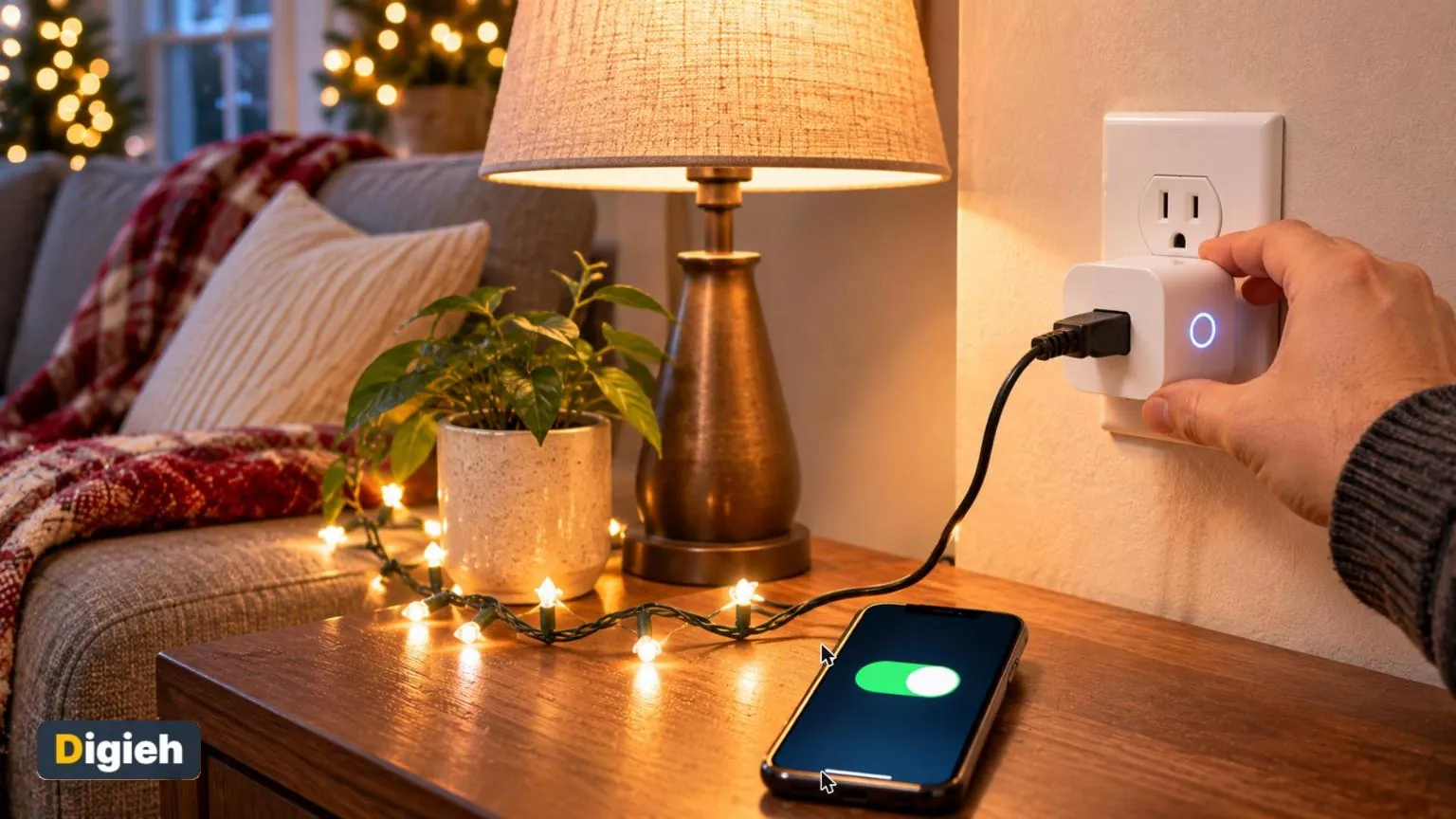
A smart plug is a small, affordable tool that can help. It lets you turn devices on and off from your phone, on a schedule or with your voice.
This guide shares practical smart plug ideas that save energy and add convenience. It also covers what not to plug in and how to keep your smart devices secure.
Key Takeaways
- Idle electronics can make up a large share of home electricity use.
- Smart plugs cut power to devices on a schedule or from your phone.
- They work best for lamps, holiday lights, chargers and entertainment gear.
- Never use a smart plug with space heaters or other high-power heating devices.
- Change default passwords and keep the app updated for security.
23%Share of home power use from idle devices, according to a Natural Resources Defense Council study.
What Is Standby or Phantom Power?
Phantom power is the electricity devices use while turned off or in sleep mode. Clocks, remote sensors and instant-on features keep drawing power around the clock.
The Natural Resources Defense Council (NRDC) studied this hidden drain. It found idle load makes up about 23 percent of home power use. That is roughly a quarter of the electricity bill.
Efficiency Maine cites a national laboratory estimate that phantom loads cost the average household about $200 per year. It also notes many homes have dozens of devices drawing standby power.
How Smart Plugs Work
A smart plug sits between your wall outlet and a device. It connects to your home Wi-Fi and an app on your phone.
Through the app, you can switch the outlet on or off from anywhere. You can also set schedules, timers and routines.
Many smart plugs work with voice assistants too. Some models even track how much electricity the connected device uses.
Do you use smart plugs at home?
- Yes, several
- Just one or two
- Not yet
- Not sure
Idea 1. Shut Down the Entertainment Center
Televisions, game consoles, sound bars and streaming boxes often draw power all night. The NRDC suggests grouping them on one power strip.
Plug that strip into a smart plug. Then schedule it to turn off at bedtime and back on in the evening.
Some devices need time to update or keep a clock. Test the schedule for a week to make sure nothing important breaks.
Idea 2. Automate Holiday Lights
Holiday lights are perfect for smart plugs. Set them to turn on at dusk and off at bedtime automatically.
No more forgetting to unplug them before bed. That saves energy and reduces the risk of lights running all night.
Check that the smart plug is rated for outdoor use if you use it outside. Our guide on how to hang Christmas lights safely covers outdoor safety tips.
Idea 3. Schedule Lamps for Security and Comfort
Put living room lamps on a schedule so the house looks lived-in while you travel. Random or varied timing makes it look more natural.
A lamp that turns on before you get home also makes evenings feel welcoming. You never walk into a dark house again.
Use energy-efficient light bulbs alongside your smart plug. Together they cut costs even further.
Good to know. Away mode on some smart plugs turns lamps on and off at slightly random times. That looks more natural than a fixed schedule.
Idea 4. Stop Overnight Charging Drain
Chargers can draw a small amount of power even with nothing connected. Plug a charging station into a smart plug and set a timer.
Two or three hours is often enough to charge phones and tablets. After that, the plug cuts power automatically.
This habit also helps some batteries avoid sitting at full charge all night. Check your device maker’s guidance on battery care.
Idea 5. Put the Coffee Maker on a Timer
The NRDC suggests putting coffee makers on timers. A smart plug can turn yours on before you wake up and off after breakfast.
Only use this with simple machines that brew when power returns. Many programmable models reset when unplugged.
Never leave a coffee maker running when no one is home. Always follow the maker’s safety guidance.
- Entertainment center power strip
- Holiday lights
- Living room lamps
- Phone charging station
- Simple coffee maker
- Aquarium or accent lights
Idea 6. Manage Kids’ Screen Time
A smart plug can help set healthy limits for game consoles and televisions. Schedule power to turn off at homework time or bedtime.
This works as a gentle backup to built-in parental controls. Kids learn the routine quickly when the power simply turns off.
Talk with your family about the schedule first. Clear rules reduce arguments when the screen goes dark.
Idea 7. Light the Way at Bedtime
Set a bedside lamp to turn on dimly at bedtime and off after you fall asleep. It saves you from fumbling in the dark. It also keeps the lamp from burning needlessly all night.
Idea 8. Control Hard-to-Reach Outlets
Some outlets hide behind furniture or in awkward corners. A smart plug lets you control devices there without crawling around.
This is handy for aquarium lights, accent lamps and window displays. You can turn them on and off from your phone.
Idea 9. Track Energy Hogs
Some smart plugs measure how much electricity a device uses. This helps you spot surprise energy hogs.
Efficiency Maine suggests using a plug-in power monitor to find energy-draining appliances. An energy-tracking smart plug does a similar job.
Move the plug from device to device for a few days each. You may be surprised by older electronics and second refrigerators.
Estimate Your Savings
Want to know how much a device costs in standby mode? Look up its standby watts or measure it with an energy-tracking plug.
Then enter the numbers below to estimate yearly savings from cutting that power.
Standby savings calculator
Check your bill for your actual electricity rate.
What Not to Plug Into a Smart Plug
Smart plugs have power limits listed on the box. Going over them can cause overheating or fire.
Space heaters are the most important device to avoid. The University of Alabama at Birmingham safety office says to plug space heaters directly into a wall outlet.
It warns against extension cords and power strips because they can overheat. The same caution applies to smart plugs and other adapters.
Avoid smart plugs with these devices too.
- Space heaters and electric blankets
- Hair dryers and curling irons
- Refrigerators and freezers
- Medical equipment
- Appliances that draw heavy power, like microwaves
Our space heater safety tips explain more ways to use heaters safely.
Quick tip. Label each smart plug with a small sticker that matches its name in the app. It makes troubleshooting much easier.
Keep Your Smart Plugs Secure
Every smart plug connects to your home network. That makes security important.
The Cybersecurity and Infrastructure Security Agency (CISA) home network guide recommends changing default passwords and keeping firmware updated. It also suggests watching for unknown devices on your network.
- Use a strong, unique password for the smart plug app.
- Turn on two-step login if the app offers it.
- Keep the app and plug firmware updated.
- Put smart devices on a separate guest network if your router allows.
- Buy from well-known makers that provide regular updates.
Our guide to choosing a home Wi-Fi router explains how guest networks help protect your main devices.
Which device should never go on a smart plug?
- A table lamp
- A space heater
- Holiday lights
Space heaters should plug directly into a wall outlet to reduce fire risk.
Free updates
Join the Digieh list
Be the first to know when our weekly brief launches.
No spam. Unsubscribe anytime. Read our Privacy Policy.
Choosing a Smart Plug
Smart plugs come in many styles and prices. Focus on the features you will actually use.
| Feature | Why It Matters |
|---|---|
| Energy monitoring | Shows how much power a device uses |
| Compact size | Leaves the second outlet free |
| Outdoor rating | Needed for porch or yard use |
| Voice assistant support | Lets you use voice commands |
| Safety certification | Shows the plug was tested for safety |
| Away mode | Varies lamp timing while you travel |
Look for a safety certification mark from a recognized testing lab on the package. Avoid unknown sellers with no safety listing.
Setting Up Your First Smart Plug
Setup usually takes just a few minutes. Most plugs follow similar steps.
- Download the maker’s app.
- Plug the smart plug into an outlet.
- Follow the in-app steps to connect it to Wi-Fi.
- Name the plug clearly, such as Living Room Lamp.
- Create your first schedule or timer.
Many smart plugs only connect to the 2.4 gigahertz Wi-Fi band. Check the box if your router uses separate network names.
If you already use a voice assistant, our guide on setting up a smart speaker explains how to link devices.
About how much of home power use comes from idle devices, per the NRDC study?
- About 23 percent
- About 2 percent
- About 75 percent
The study found idle load makes up roughly a quarter of home electricity use.
Smart Plug Routines for Everyday Life
Routines link several actions together. One tap or voice command can control many plugs at once.
Try a good night routine that turns off the entertainment center, lamps and holiday lights together. A morning routine can turn on a lamp and the coffee maker.
Some apps support sunrise and sunset timing. Lights then adjust automatically as days grow shorter and longer.
Smart Plugs for Seasonal Use
Smart plugs are useful all year, not just in winter. In summer, they can schedule fans or window air conditioners within their power limits.
Check the plug’s rating before connecting any cooling device. Large air conditioners often need too much power.
During travel, set lamps on away mode and cut power to unused electronics. Coming home to a lower bill is a nice bonus.
Troubleshooting Common Problems
Smart plugs are simple, but small issues can pop up. Most have easy fixes.
- If the plug will not connect, move it closer to the router.
- If schedules stop working, check the app for updates.
- If the plug goes offline, restart your router.
- If a device does not turn on, check that its own switch is on.
When all else fails, reset the plug using the button on its side. Then set it up again in the app.
Smart Plugs vs Advanced Power Strips
Efficiency Maine highlights advanced power strips as another option. These can shut off devices automatically when a main device turns off.
A smart plug controls one outlet with schedules and app control. An advanced power strip controls several outlets based on use or motion.
Many homes use both. A power strip handles the entertainment center, while smart plugs control lamps and lights around the house.
Other Ways to Cut Phantom Power
Smart plugs are just one tool. The NRDC suggests a few more simple habits.
- Turn off quick start or instant-on features on televisions and consoles.
- Turn on automatic power-down on computers.
- Replace old cable boxes with newer, more efficient models or streaming apps.
- Choose Energy Star labeled products when buying new devices.
Combining these habits with smart plugs can make a noticeable dent in your bill. Our guide to lowering your heating bill has more savings ideas for winter.
Try this today. Walk around your home and count devices with glowing standby lights. Pick the cluster with the most lights as your first smart plug project.
Frequently Asked Questions
Do smart plugs really save energy?
They can by cutting standby power and preventing devices from running when not needed.
Can I use a smart plug with a space heater?
No. Safety experts say to plug space heaters directly into a wall outlet.
Do smart plugs use electricity themselves?
Yes, a small amount. The savings usually outweigh it when they cut larger standby loads.
Do smart plugs work without Wi-Fi?
Most need Wi-Fi for app control, though some keep running schedules during outages.
Are smart plugs safe?
Certified plugs are generally safe when used within their power limits and kept updated.
Conclusion
Smart plugs are an easy, low-cost way to cut phantom power and add convenience. Use them for lamps, holiday lights, chargers and entertainment gear.
Keep heaters and heavy appliances off smart plugs, and secure every device on your network. Small changes like these can trim your energy bill all year.
Found this useful?
Editor’s Note
This article is accurate as of November 8, 2026. It draws on two energy groups, a university safety office and a federal home network guide. Savings vary by device and electricity rates.
Spot an error in this article? Please contact us at support@digieh.com or read our Corrections Policy.
Keep exploring
Your next read is waiting
 1Food & LifestyleSmart Winter Pet Safety Tips for Cold Days10 min read
 2SportsCross-Country Skiing for Beginners: Simple Steps to Start10 min read
 3Finance & Markets529 Plan Basics: Essential 2027 Limits for Parents9 min read
 4HealthHow to Use a Humidifier Safely This Winter10 min read
 5EntertainmentYour Nutcracker Ballet Guide: Magical Tips for First-Timers10 min read
 6TechnologyHow to Choose the Best Home Wi-Fi Router10 min read